


Understand Patients Dashboard
From Patients Tab > All Patients you can go to All Patients page to view all the patients details. Below is the dashboard view of the Patient module:
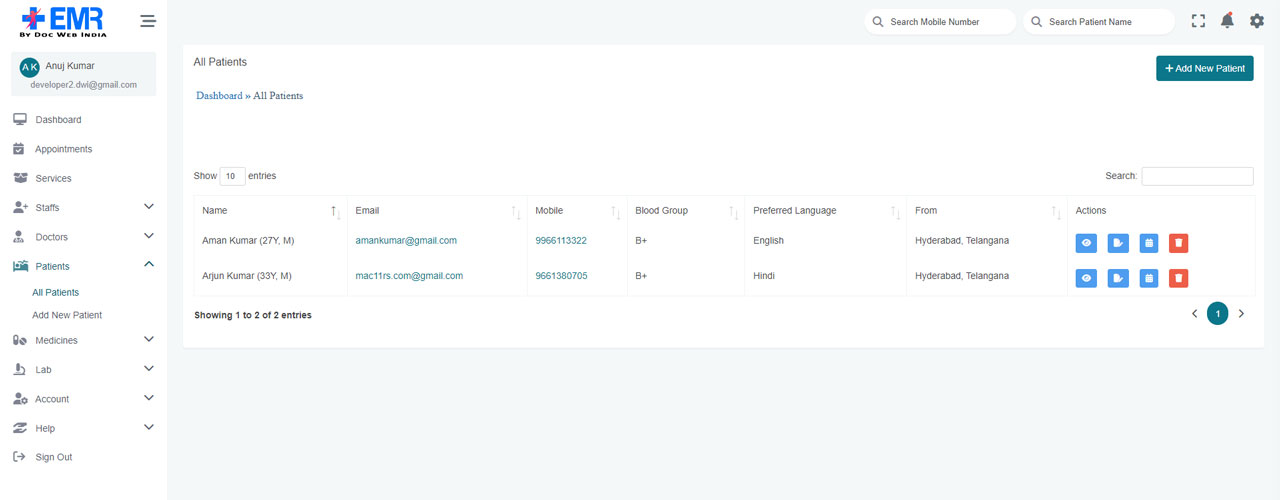
You can see action buttons under the Action Cell:
View Patient DetailsWhen you will click on button, it will lead you to following page from where you can view & edit patient details:
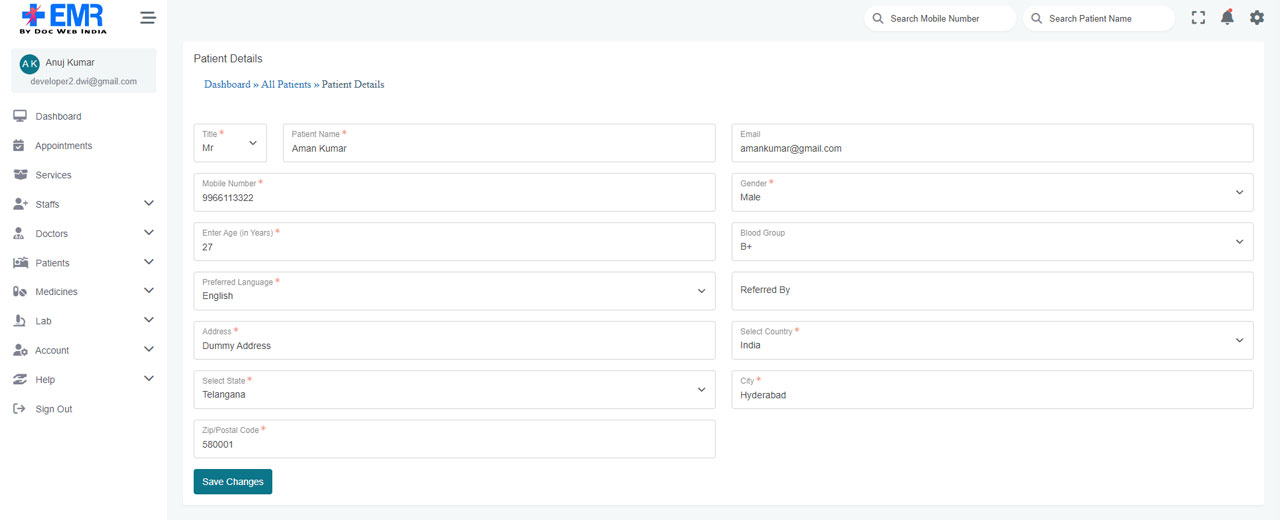
When you will click on button, it will lead you to following page from where you can view-add-delete patient reports:
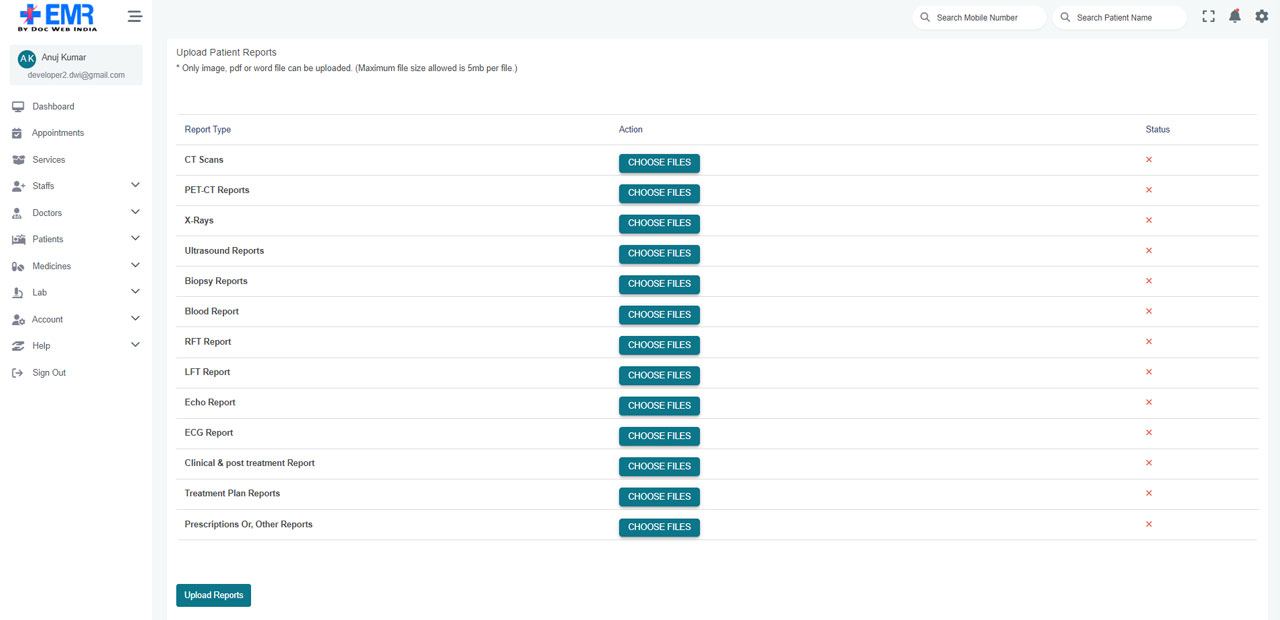
When you will click on button, it will lead you to following page from where you can add-view-edit-delete patient appointment:
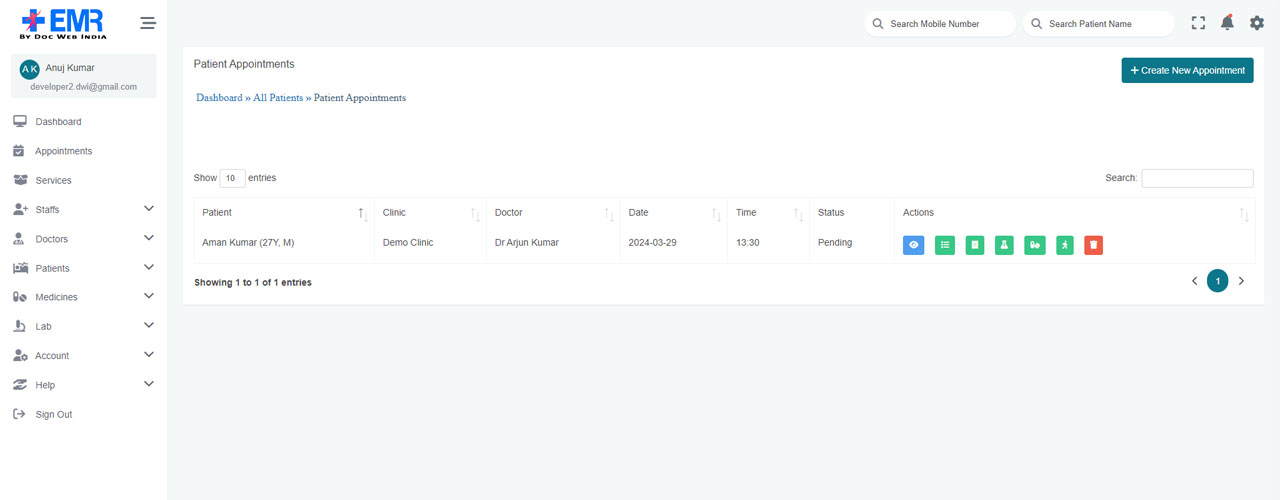
In the above page you will get below action buttons under Action Cell:
View Appointment Details
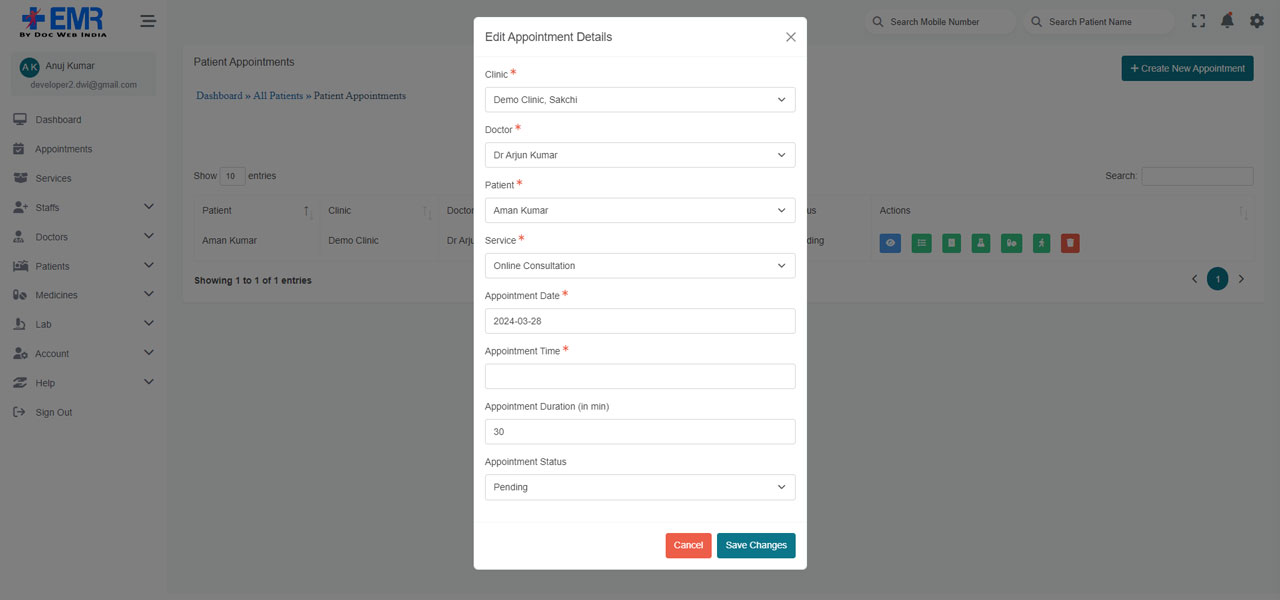
When you will click on button, it will show you a popup with appointment details from where you can view & edit that appointment details:
View Service Invoice
When you will click on button, it will lead you to consultation service invoice view:
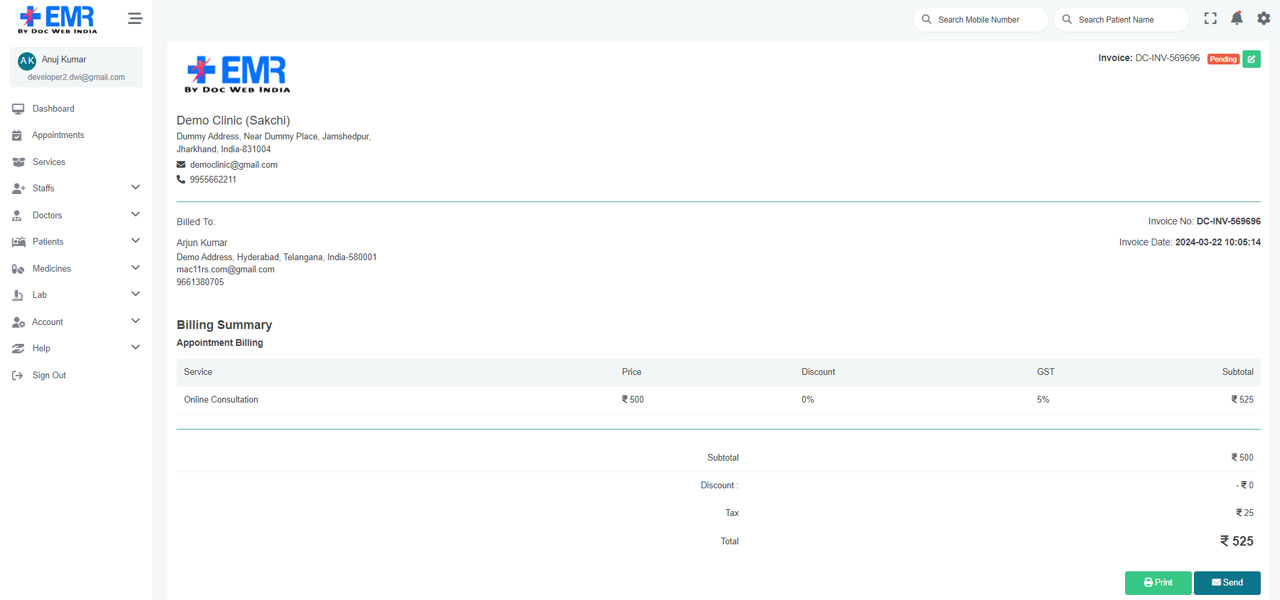
By clicking on Print button, you can print the invoice and by clicking on Send button, you can send the invoice to your mail.
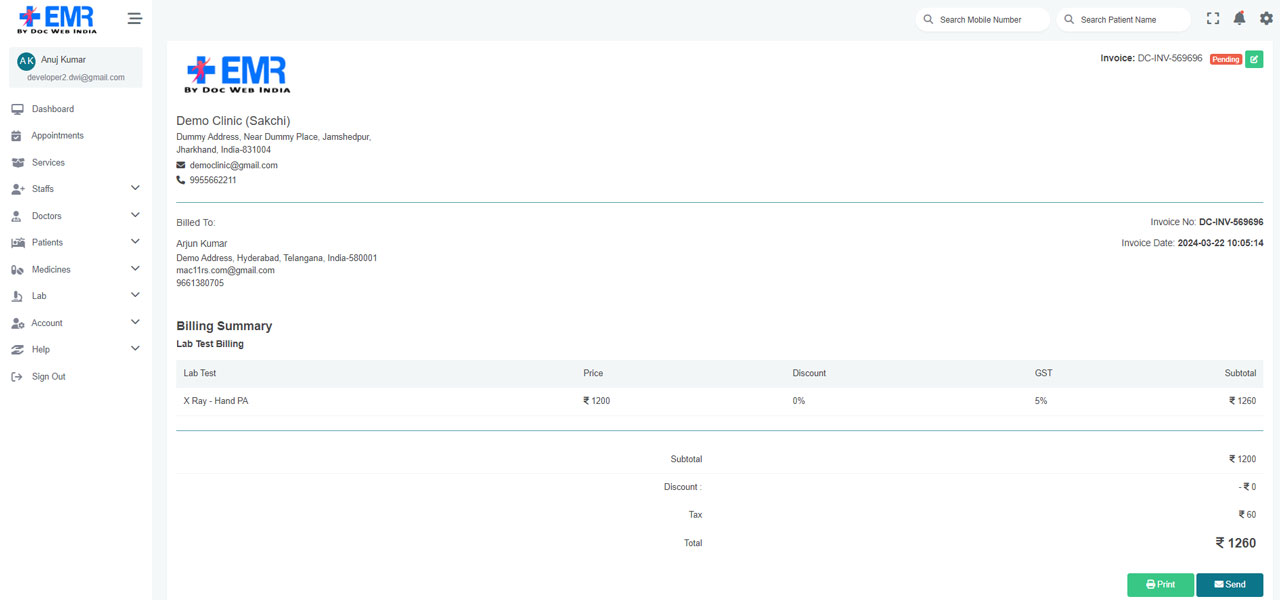
View Lab Test Invoice
When you will click on button, it will lead you to labtest invoice view:
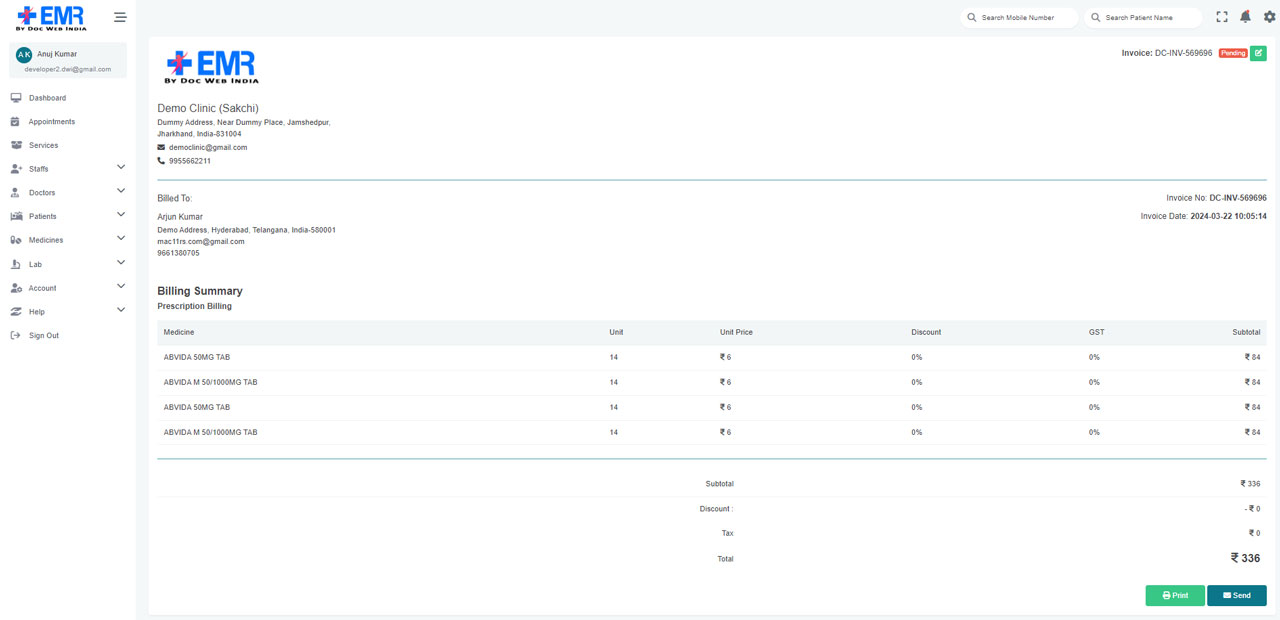
View Medicine Invoice
When you will click on button, it will lead you to medicine invoice view:
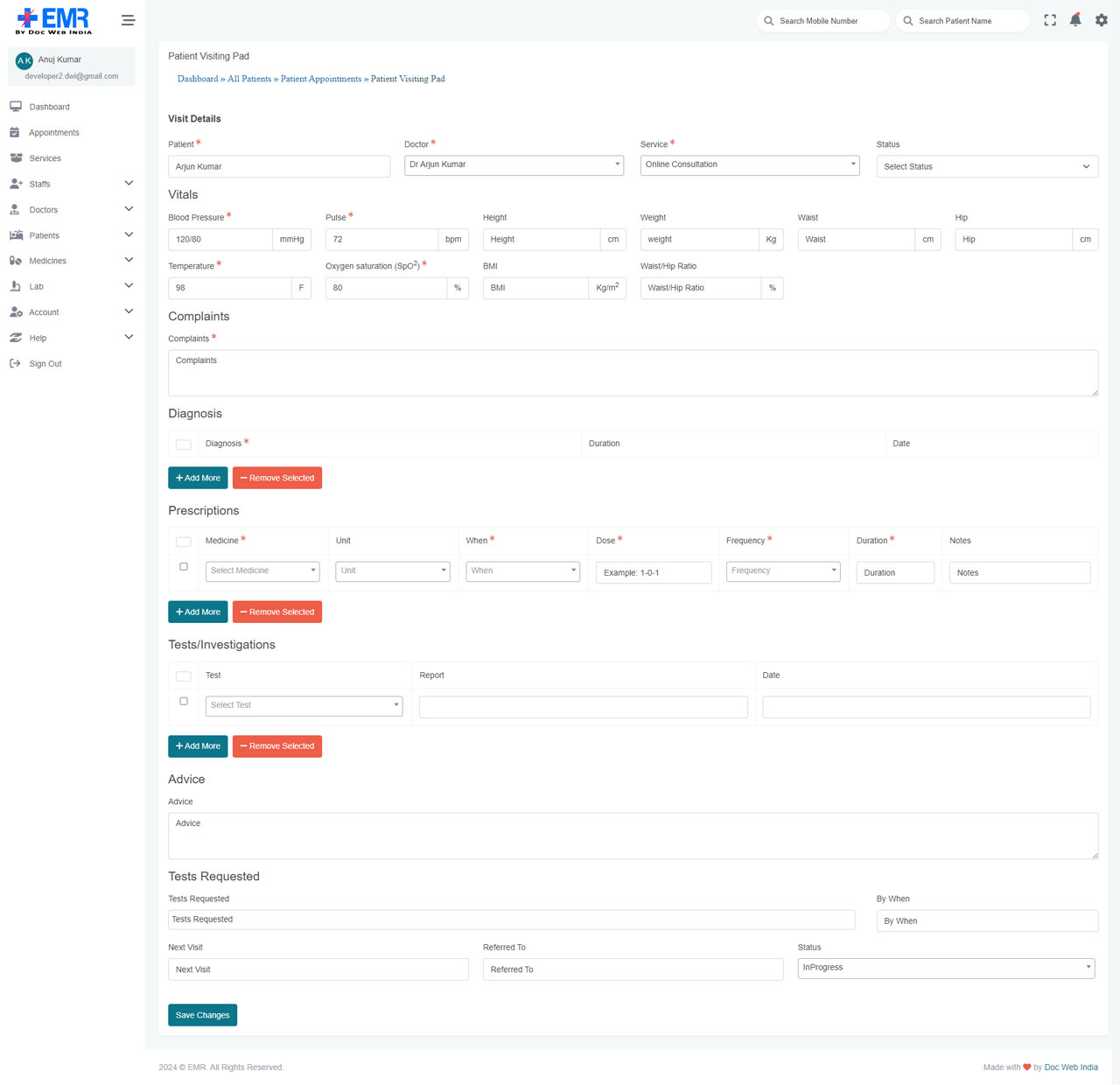
View Patient Visiting Pad
When you will click on button, it will lead you to patient visiting pad:

Here you can see all the previous patient visit records.
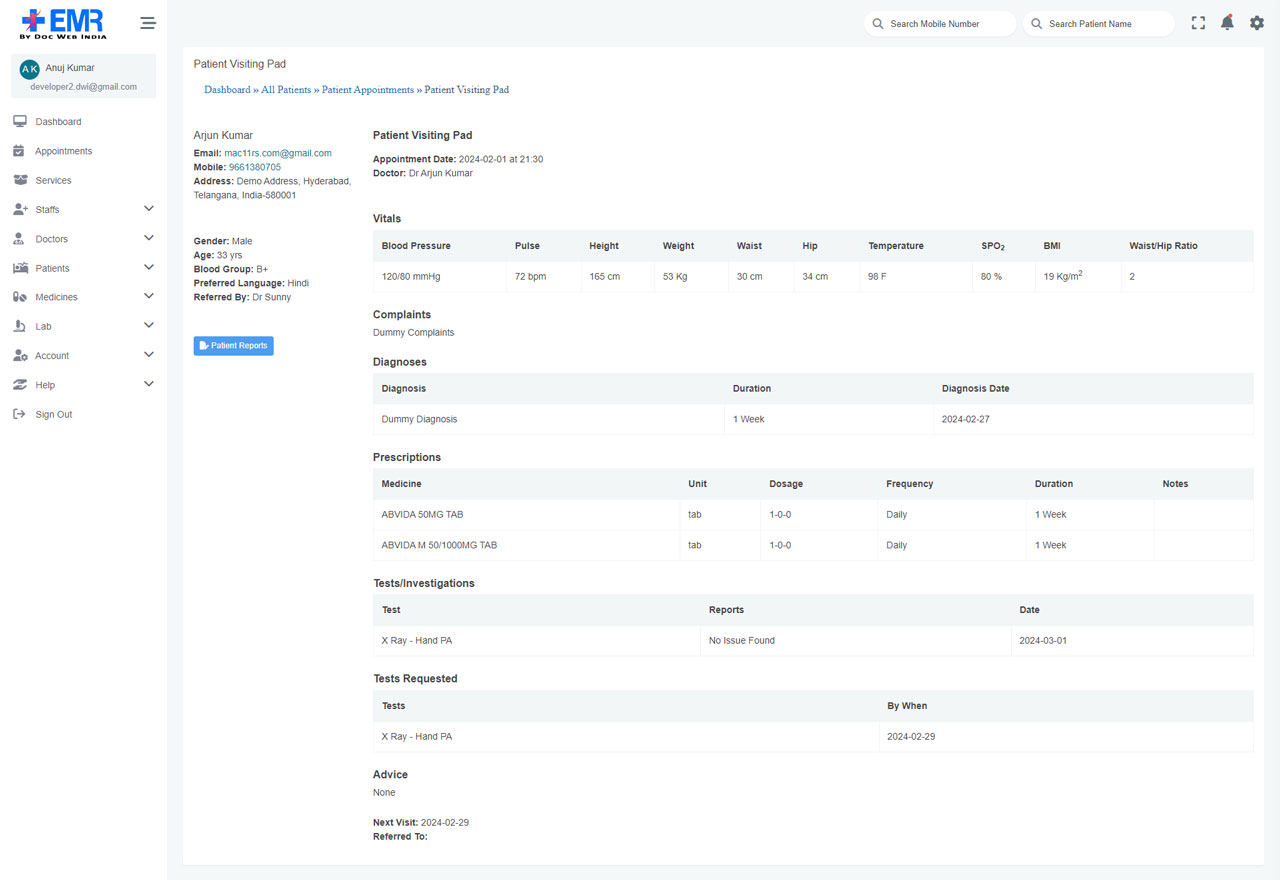
For upcoming appointments or ongoing appointments you can create new visiting pad.

Delete Appointment
When you will click on button, it will show you a popup from where you can confirm if you wan to delete the appointment record.
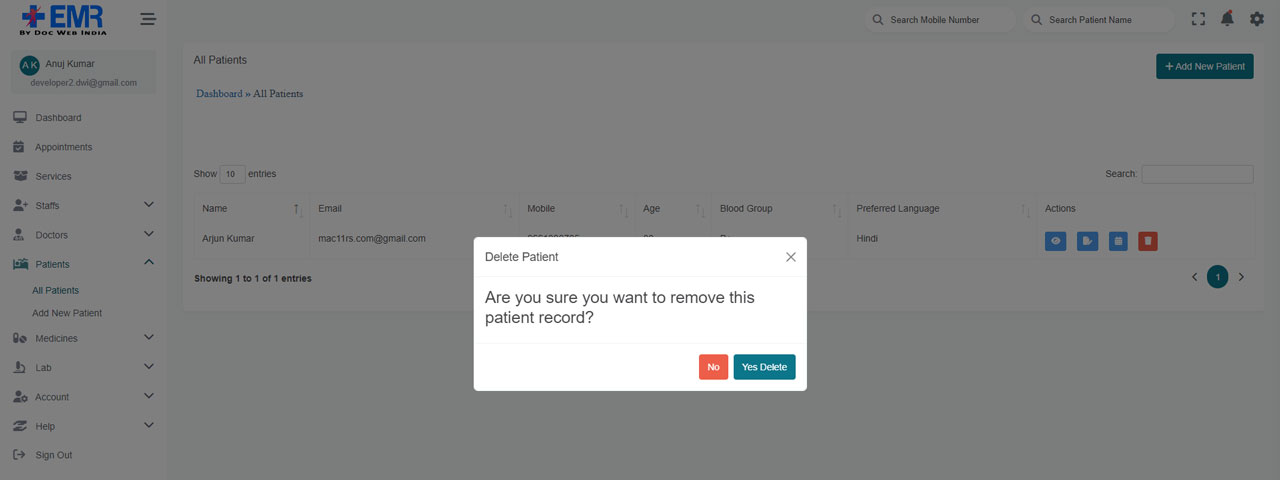
When you will click on button, following popup will appear and you can confirm if you want to delete the patient record:
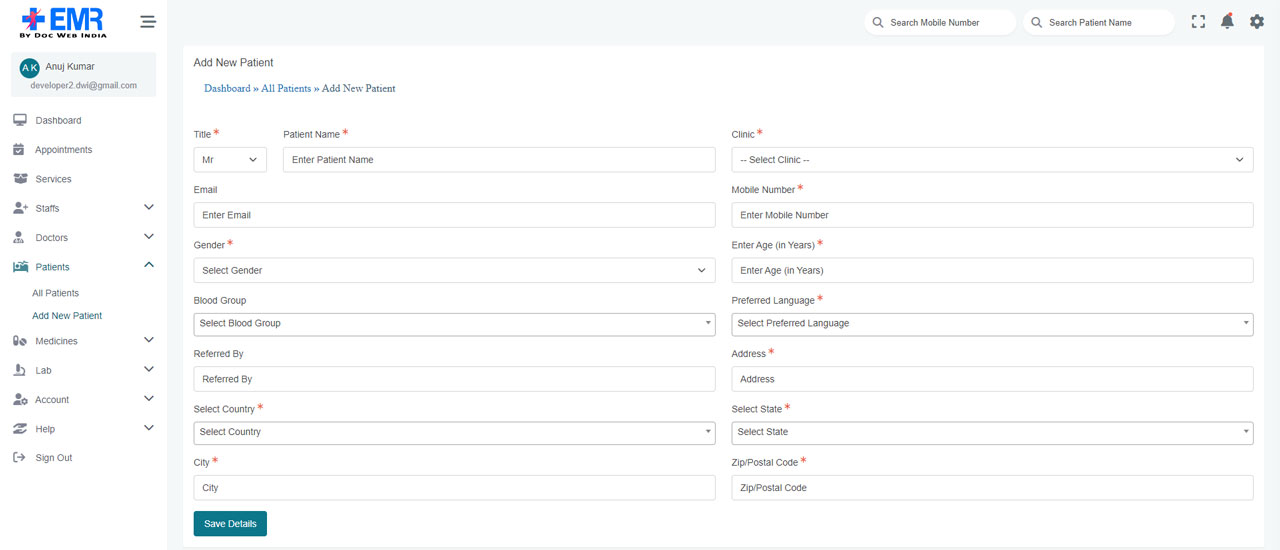
By clicking on the Add New Patient button you can access to add new patient form, fill the details and add new patient. If your website appointment form is integrated with our EMR system, whenever a user will fill and submit the form, a new patient record will be added automatically in records along with one scheduled appointment.