


Billing Reports
From Account Tab > Reports you can go to All Reports page to view all the available reports. Below is the dashboard view of the All Reports page:
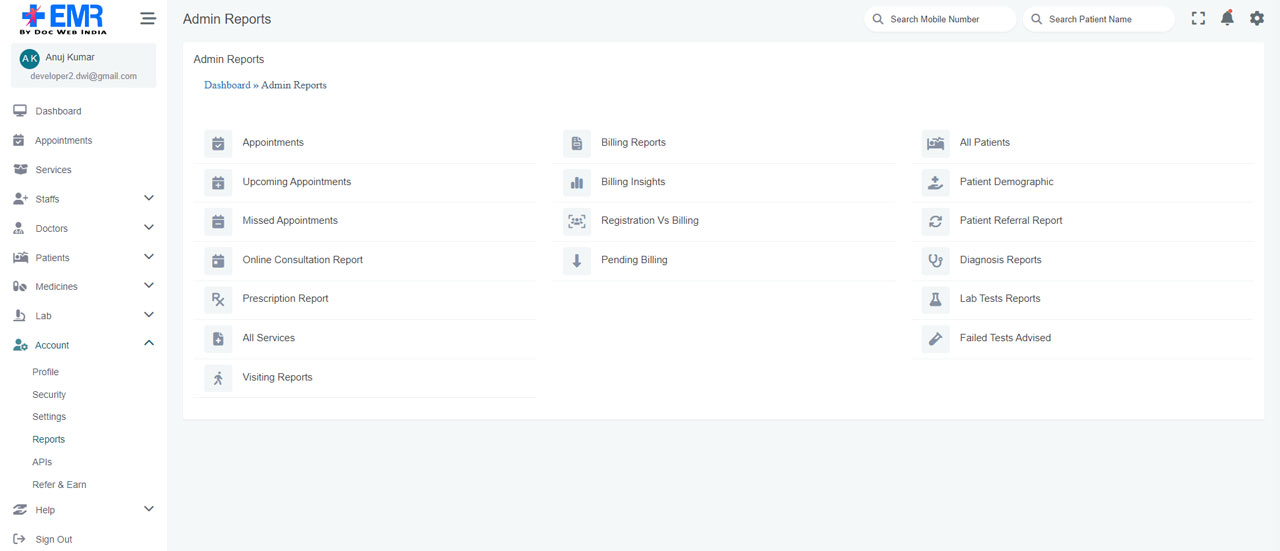
Second column of reports belong to Billing Reports:
Billing ReportsWhen you will click on Billing Reports button, it will lead you to following page from where you can view billing reports.
Here you can select from date, to date and the clinic/hospital for which you want to generate report and hit Generate Report button:
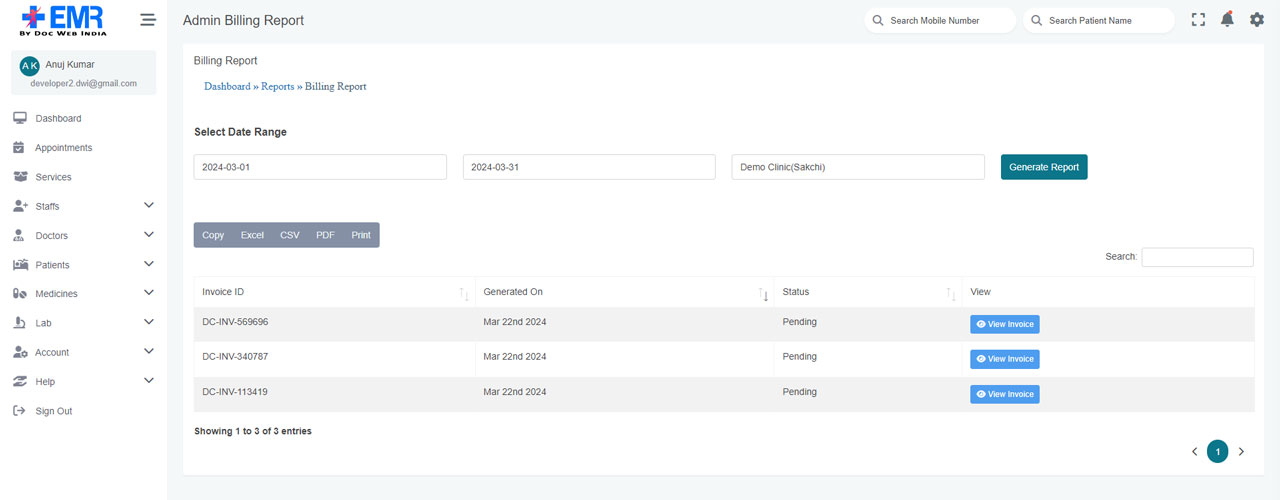
By clicking on View Invoice button you can view the invoice.
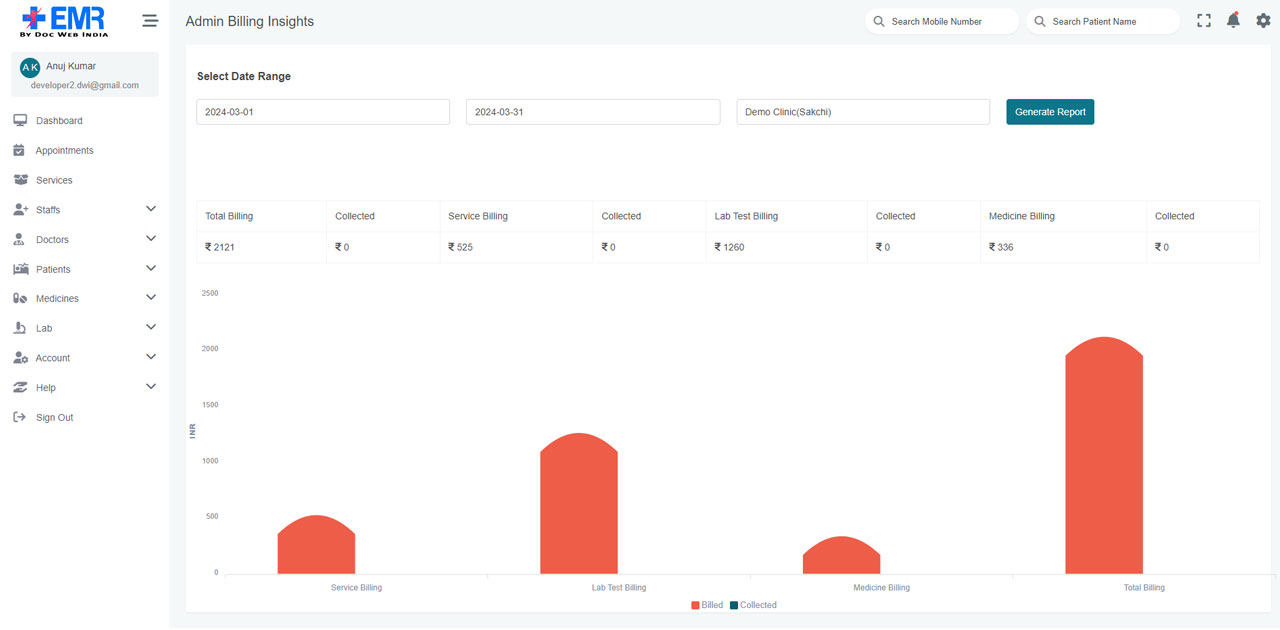
When you will click on Billing Insights button, it will lead you to following page from where you can view billing insights.
Here you can select from date, to date and the clinic/hospital for which you want to generate report and hit Generate Report button:
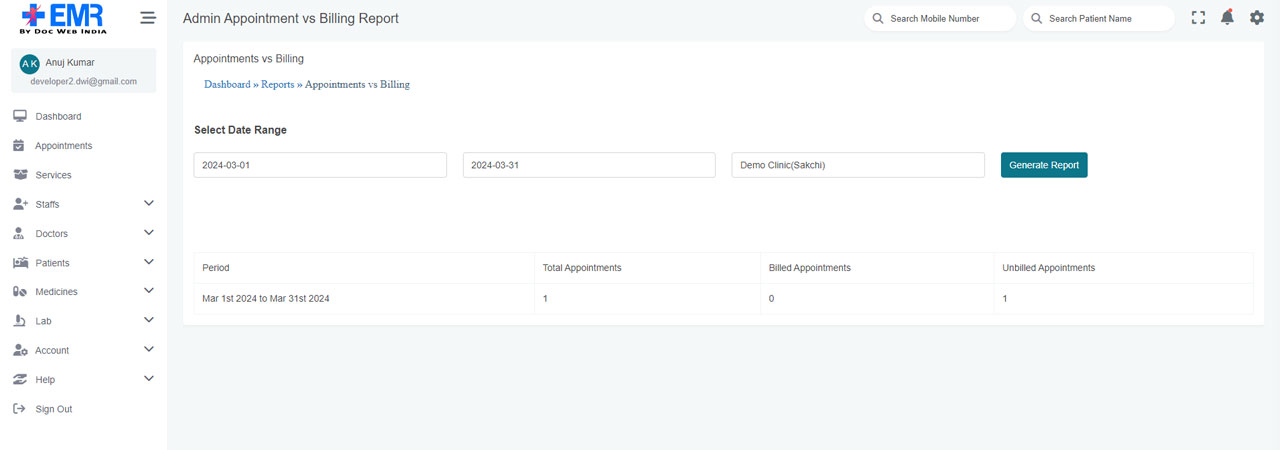
When you will click on Registration vs Billing button, it will lead you to following page from where you can view appointment registration vs billing reports.
Here you can select from date, to date and the clinic/hospital for which you want to generate report and hit Generate Report button:
When you will click on Pending Billing button, it will lead you to following page from where you can view pending billing reports.
Here you can select from date, to date and the clinic/hospital for which you want to generate report and hit Generate Report button:
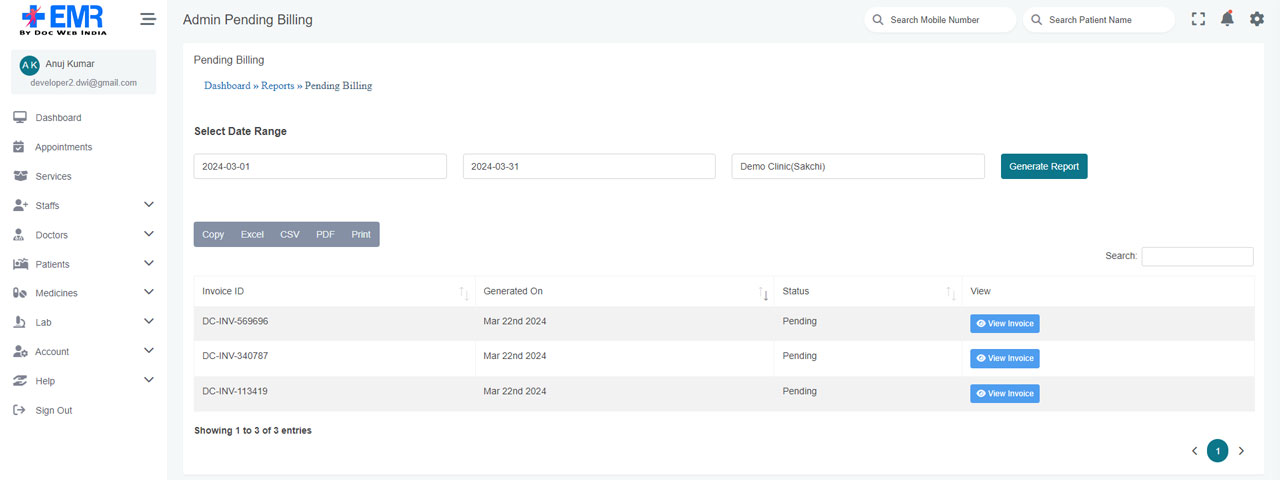
By clicking on View Invoice button you can view the invoice.